Exclusive in Xtra Desktop

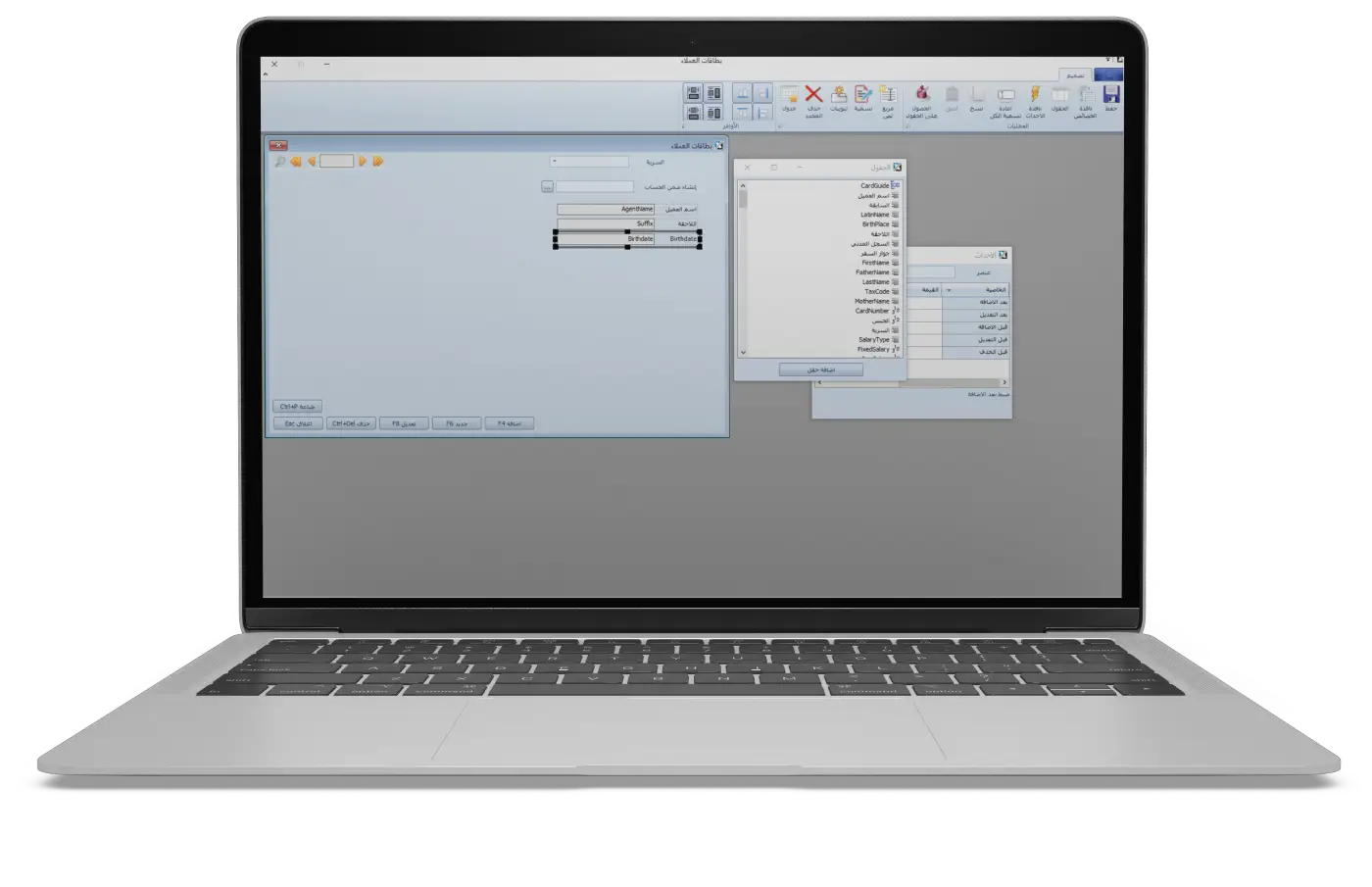
Drag-and-Drop Desktop Window & Card Designer

Build completely new desktop windows, data entry screens, and archive cards using visual drag-and-drop without writing a single line of code, directly linked to accounts, customers, and cost centers.

How This Works Inside Xtra Desktop: Metadata-driven UI engine storing form definitions, control coordinates, bilingual properties, and live foreign-key bindings to core accounting and inventory tables.
Download Free Trial (MSI)
Drag-and-Drop Desktop Window & Card Designer
01 / Xtra Desktop

Visual Drag-and-Drop Canvas: Full control over field coordinates, layout order, bilingual captions (Arabic & Latin), and control types (textboxes, numeric inputs, date pickers, relational lookups, checkboxes, and grids).

02 / Xtra Desktop

Dynamic Relational Foreign-Key Linking: Connect any custom field directly to Customers/Agents, Chart of Accounts, Cost Centers, Projects, Branches, Warehouses, or Hierarchical Categories.

03 / Xtra Desktop

Modify Standard Forms or Build Brand-New Windows: Go beyond hiding/showing invoice fields—create entirely new business screens tailored to your industry (e.g., clinic patient cards, maintenance contracts, customs clearance files, or specialized job orders).

04 / Xtra Desktop

Instant Integration with Reports & Workflows: Every custom window is immediately queryable in the Report Designer and can trigger automated stages in the Process Designer.