Customizable Windows Accounting & Business Software

Xtra Desktop: Build Custom Windows, Reports, and Workflows via Drag and Drop

Xtra Desktop lets you modify forms, fields, invoices, and entries, or create completely new desktop windows linked to the accounting engine, alongside an automated Process Generator and a multi-dimensional Report Designer.

Xtra Desktop - Enterprise Trading Co.
— □ ✕
Start Page Master Data Invoices Entries Reports Processes HR Customize Tools Settings
Xtra Desktop v26011_20
Customer Cards (Design Mode - TBL033 / TBL085) F4 / F8
Customer Name (AgentName) TBL016
Parent Account (AccountGuide) TBL004
Security Degree (1 - 4) Level 1-4
Fields List (Click to drop field onto window)
+ Tax Number (TaxCode) Add
+ Cost Center (CostCenter) FK
+ Project Guide (ProjectID) FK
+ Credit Limit (CreditLimit) Add
Properties & Events (TBL035 / TBL094)
ControlName:AgentName
DataSource:TBL016 (Agents)
BuildEvent:AfterAdd / AfterUpdate
Process Generator & Approval Workflow (Approve_Stage) Security Level: 1
1. Stage 1: Create Quotation or Custom Archive Card (TBL085) Approve_CreateFirstProcess
2. Stage 2: Manager Approval or External Customer Email Link Approve_SecurityState: 4
3. Stage 3 (MainGuide2): Auto-Create Target Invoice (TBL022) & Post Journal Entry (Prc008) Auto-Post
Report Designer & Multi-Dimensional Query Builder TBL002 .. TBL085
Dynamic SQL GROUP BY: Item Group (CTE) + Branch
Dimension Book Qty Reserved for Mfg Net Available
Raw Materials / Main Branch 1,450 270 (Confirmed/In-Progress) 1,180
Click any field in the Fields List to drop it onto the window canvas or inspect its bindings SQL Server / Desktop Engine
Built-In Customization Tools

Three Built-In Designers That Replace Custom Programming

Instead of limiting you to fixed forms and reports, Xtra Desktop includes visual design tools right in the Customize ribbon tab to build your own screens, workflows, and reports.

Exclusive in Xtra Desktop

Drag-and-Drop Desktop Window & Card Designer

Build completely new desktop windows, data entry screens, and archive cards using visual drag-and-drop without writing a single line of code, directly linked to accounts, customers, and cost centers.

  • Visual Drag-and-Drop Canvas: Full control over field coordinates, layout order, bilingual captions (Arabic & Latin), and control types (textboxes, numeric inputs, date pickers, relational lookups, checkboxes, and grids).
  • Dynamic Relational Foreign-Key Linking: Connect any custom field directly to Customers/Agents, Chart of Accounts, Cost Centers, Projects, Branches, Warehouses, or Hierarchical Categories.
  • Modify Standard Forms or Build Brand-New Windows: Go beyond hiding/showing invoice fields—create entirely new business screens tailored to your industry (e.g., clinic patient cards, maintenance contracts, customs clearance files, or specialized job orders).
  • Instant Integration with Reports & Workflows: Every custom window is immediately queryable in the Report Designer and can trigger automated stages in the Process Designer.
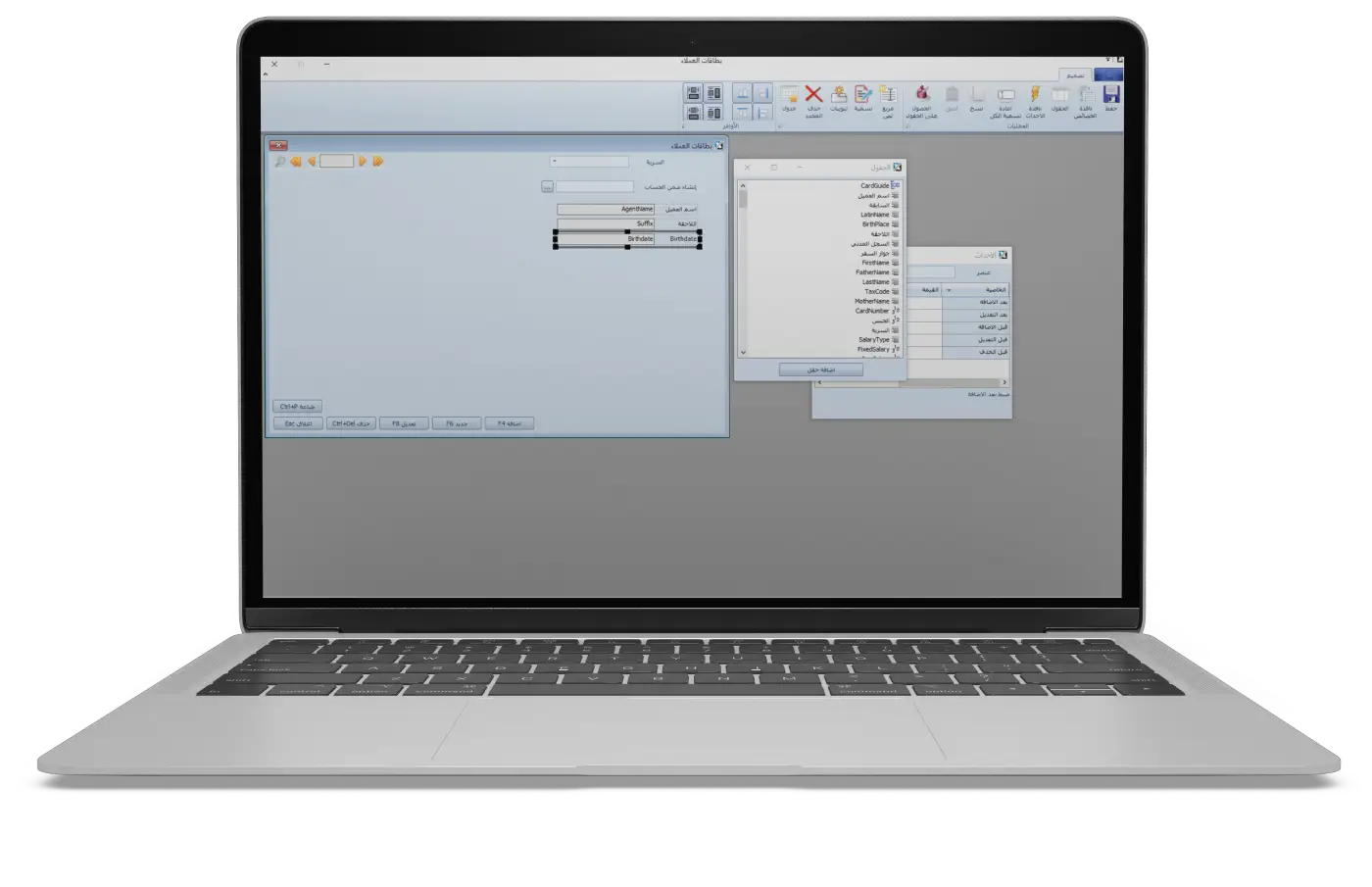
Drag-and-Drop Desktop Window & Card Designer
Multi-Dimensional Analytics

Visual Report Designer & Multi-Dimensional Query Engine

Design custom reports and print layouts via drag-and-drop, powered by a dynamic OLAP-style query engine that groups by any selected dimension with live manufacturing reservation and multi-unit calculations.

  • Visual Drag-and-Drop Report & Print Designer: Drag fields, configure custom summary formulas, apply dynamic currency/decimal formatting, and build bilingual report headers.
  • Dynamic Multi-Dimensional Grouping (OLAP-style): Select any combination of dimensions (Item Groups, Branches, Warehouses, Cost Centers, Projects, Patterns) and the engine constructs optimized SQL joins and GROUP BY clauses on the fly.
  • Deep Recursive Hierarchy Filtering: Filter and roll up data across 100-level hierarchical trees for Item Groups, Cost Centers, Projects, Branches, and Warehouses.
  • Live Manufacturing Reservations & 11+ Pricing Policies: Real-time deduction of raw materials reserved in Confirmed, In-Progress, and To-Close manufacturing orders to compute true available stock, with 11+ valuation formulas and 3-tier variable unit conversion.
  • Custom Window Reporting: Extract and join data directly from user-designed windows created in the Window Designer.
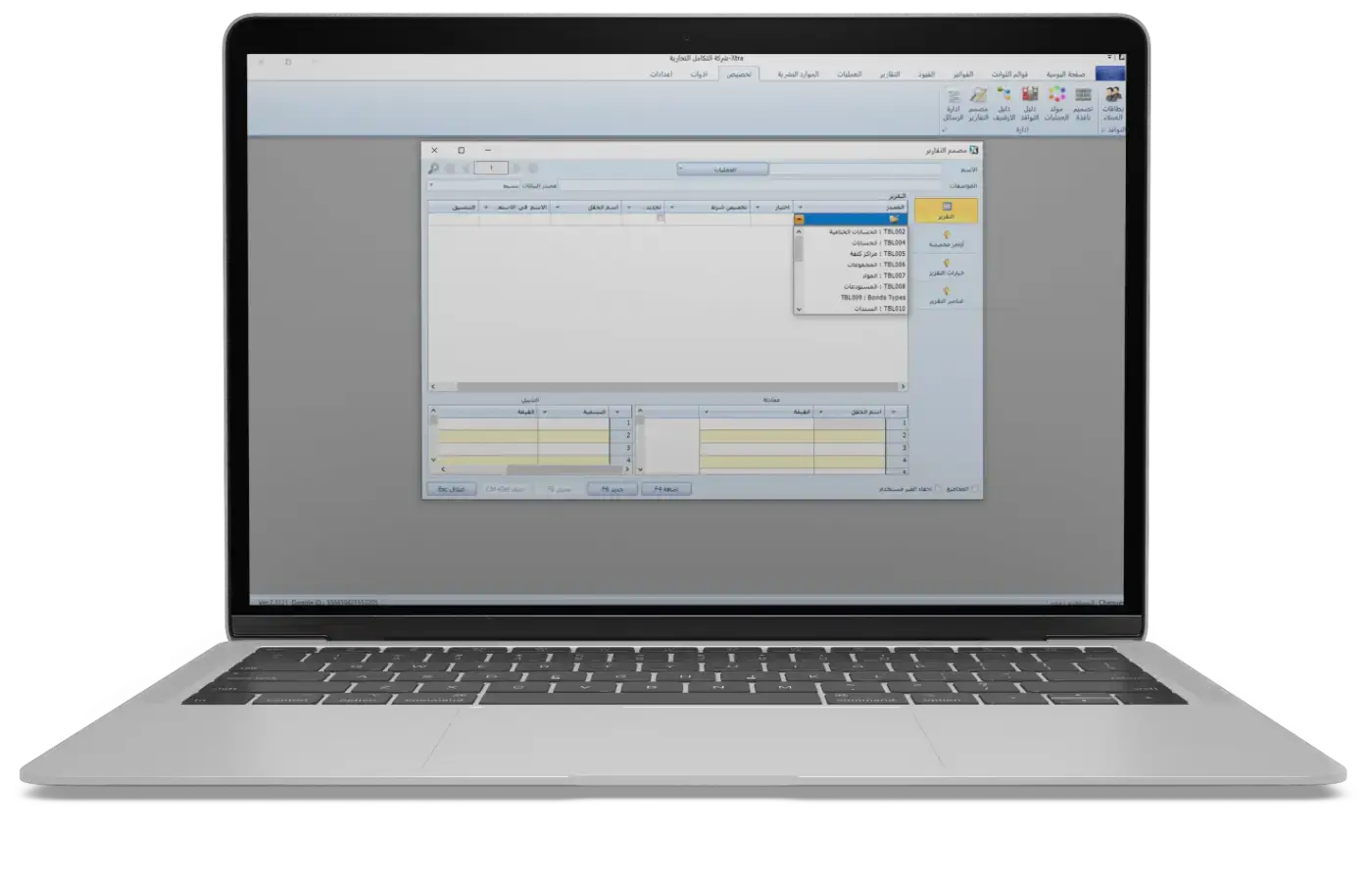
Visual Report Designer & Multi-Dimensional Query Engine
No-Code Process Automation

Visual Process, Workflow & Event Designer

Design your entire enterprise workflow: multi-stage approvals, automatic generation of target invoices and accounting entries upon approval, cross-window data migration, and programmable event hooks.

  • Automatic Cross-Document Generation: Upon stage approval, Xtra Desktop can automatically generate a new target Invoice pattern or Accounting Bond/Entry, post it to inventory and general ledger, and initiate a follow-up workflow.
  • Cross-Window Data Cloning & Migration: Automatically duplicate and migrate structured field data from one custom window type to another custom window as part of a process stage.
  • External Customer Approval Participation: Uniquely assign the external customer/agent as an approver participant in a workflow stage with direct email notification and approval link.
  • Dynamic 4-Level Security Escalation: Automatically raise or lower record security degrees (Levels 1 to 4) at each stage to lock approved transactions against unauthorized edits.
  • Programmable Event Hooks (BuildEvent): Attach custom validation rules and automated SQL/procedure triggers on save or update across invoices, entries, and custom windows.
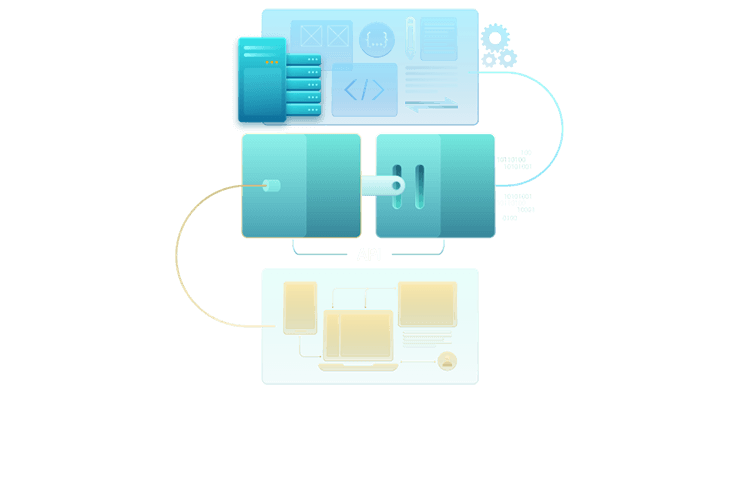
Xtra Desktop Custom API & Process Architecture

Cross-Document Generation & Custom API

State-machine workflow engine supporting Invoices, Accounting Bonds, and Custom Windows with automated cross-pattern document creation and security degree transitions.

Architectural Comparison

How Xtra Desktop Compares to Traditional Accounting Software

Functional & Architectural Capability Xtra Desktop Traditional Software
Drag-and-Drop Custom Desktop Window Builder Built-in No-Code Visual Designer Unavailable or requires expensive vendor custom coding
Relational Linking of Custom Fields to Core Tables Direct dynamic relational linking Isolated plain-text note fields only
Automated Cross-Document Generation on Stage Approval Auto-creates & posts target invoices, entries & custom cards Simple status flags only (Approved/Rejected)
External Customer Participation in Approval Workflow Natively supported in Process Designer Not supported
Visual Report Designer + Dynamic Multi-Dimensional Grouping Full drag-and-drop designer + dynamic SQL GROUP BY Fixed reports with basic column toggle
Live Manufacturing Reservation Deduction in Inventory Real-time reservation deduction & net available stock Shows book balance only without active production reservations
Block Cards Tool + 4 Dynamic Record Security Degrees Element-level Block Cards + workflow-driven security levels Basic screen-level CRUD permissions only
Core Capabilities

Key Features of Xtra Desktop Include Unlimited Support For

An open database design allowing unlimited invoice patterns, entry patterns, branches, warehouses, currencies, and final accounts.

Invoice Patterns

Invoice Patterns

Unlimited invoice patterns with 25+ configurable behavior flags per pattern (continuous inventory, POS, taxes, commissions, contra accounts).

Entry & Bond Patterns

Entry & Bond Patterns

Unlimited journal entry and voucher patterns with automated dual-entry generation.

Cheque & Note Patterns

Cheque & Note Patterns

Complete cheque lifecycle management: issuance, collection, endorsement, bouncing, and automated clearing.

Multi-Language Interface

Multi-Language Interface

Full bilingual interface and data fields (Arabic / English / Latin) with customizable terminology.

Multi-Currency & FX Engine

Multi-Currency & FX Engine

Unlimited currencies, historical exchange rates, and automatic foreign exchange gain/loss processing.

Final Accounts & Statements

Final Accounts & Statements

Multi-level customizable Trial Balance, Income Statement, Balance Sheet, and closing accounts.

Warehouses & Locations

Warehouses & Locations

Unlimited hierarchical warehouses with stock transfers automatically generating accounting entries.

Multi-Branch Architecture

Multi-Branch Architecture

Unlimited branches with consolidated or isolated financial reporting per branch.

Cost Centers & Projects

Cost Centers & Projects

Unlimited hierarchical cost centers and projects with indirect expense allocation and profitability tracking.

Users, Roles & Block Cards

Users, Roles & Block Cards

Granular role permissions plus the exclusive 'Block Cards' tool controlling access down to individual fields and accounts.

Advanced Features

Advanced Systems and Features in Xtra Desktop

Windows & Cards Designer

Windows & Cards Designer

Build completely new desktop windows via drag-and-drop and bind custom fields directly to accounts, customers, and cost centers.

Processes & Workflow Generator

Processes & Workflow Generator

Multi-stage approvals with automated invoice/entry generation, 4-level security escalation, and external customer email approval.

Advanced Report Designer

Advanced Report Designer

Design custom reports including queries over custom windows, with dynamic multi-dimensional grouping and 100-level tree filtering.

Manufacturing & Production System

Manufacturing & Production System

Bill of Materials, multi-stage production orders, standard vs. actual costing, and live raw material reservation tracking.

Financial Statements

Financial Statements

Multi-level Income Statements, Balance Sheets, and Trial Balances with consolidated or isolated branch reporting.

Fixed Assets System

Fixed Assets System

Track fixed asset lifecycles, additions, disposals, and automated periodic depreciation journal entries.

Human Resources System

Human Resources System

Employee records, contracts, leave cards, loans, monthly allowances/deductions, and automated payroll posting.

Stock Transfers with Accounting Entry

Stock Transfers with Accounting Entry

Transfer items across warehouses and branches while automatically generating the corresponding accounting entry.

Distribution of Indirect Expenses

Distribution of Indirect Expenses

Allocate indirect overhead and operating expenses across projects, cost centers, and inventory items.

Monitoring and Logging System

Monitoring and Logging System

Complete audit trail recording every create, edit, delete, and print operation with before-and-after values.

Messages and Notifications Tool

Messages and Notifications Tool

Internal and email notification system connecting users, managers, and customers with approval stages and due dates.

Online and Offline Operation

Online and Offline Operation

Fast Windows desktop execution working locally, over LAN, or connected to cloud databases with branch synchronization.

You Can Try Xtra Desktop Yourself for Free

Download a free trial version of Xtra Desktop for Windows from the Download Center and test the Window Designer, Process Generator, and Report Designer.

+20
Years in Accounting and Management Solutions
+16000
Customers Around the World
+14
Countries With Active Clients
Download Free Trial (MSI)
Try Xtra Desktop Free
Frequently Asked Questions

Detailed Information About Xtra Desktop

Xtra Desktop is an all-in-one Windows desktop accounting, inventory, manufacturing, HR, and business management platform with built-in No-Code customization tools. It stands out with three exclusive engines: a Drag-and-Drop Window Designer to create brand-new screens linked to accounting, a Visual Process & Workflow Designer that automatically generates target invoices and accounting entries upon approval, and an Advanced Visual Report Designer with dynamic multi-dimensional grouping.
Yes. Xtra Desktop includes a built-in Drag-and-Drop Window Designer. You can visually place text fields, numbers, dates, and relational lookups linked directly to Accounts, Customers, Cost Centers, or Projects, set bilingual Arabic/Latin captions, and immediately use the new window in workflows and custom reports.
The Process Designer lets you define multi-stage approval workflows across invoices, accounting entries, and custom windows. Completing a stage can automatically generate and post a new invoice or journal entry, migrate data to another custom window, escalate the record's 4-level security degree, or even invite an external customer to approve via email.
Yes. Xtra Desktop features a Visual Report Designer that can query standard modules as well as custom-designed windows. Its query engine supports dynamic multi-dimensional GROUP BY aggregation, 100-level recursive hierarchy filtering, live deduction of raw materials reserved in manufacturing orders, variable multi-unit conversions, and 11+ pricing formulas.
Yes, you can download the official Windows MSI installer of Xtra Desktop for free directly from the Download Center on xtra.co.com and test all features and visual designers yourself.